Search messages or files in Matrx
Matrx provides a search tool for all users to search and find what they need in a faster way. Users can search and use filter tools to locate the exact message or file they need.
Search Messages
- 💻Desktop Users
- 📱Android Users
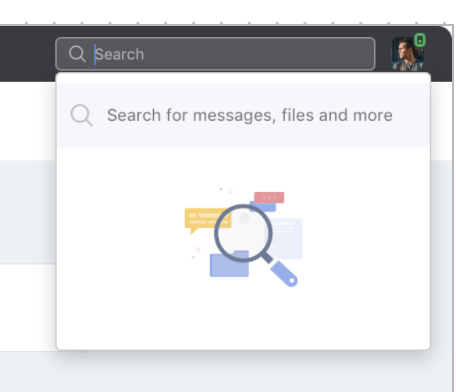
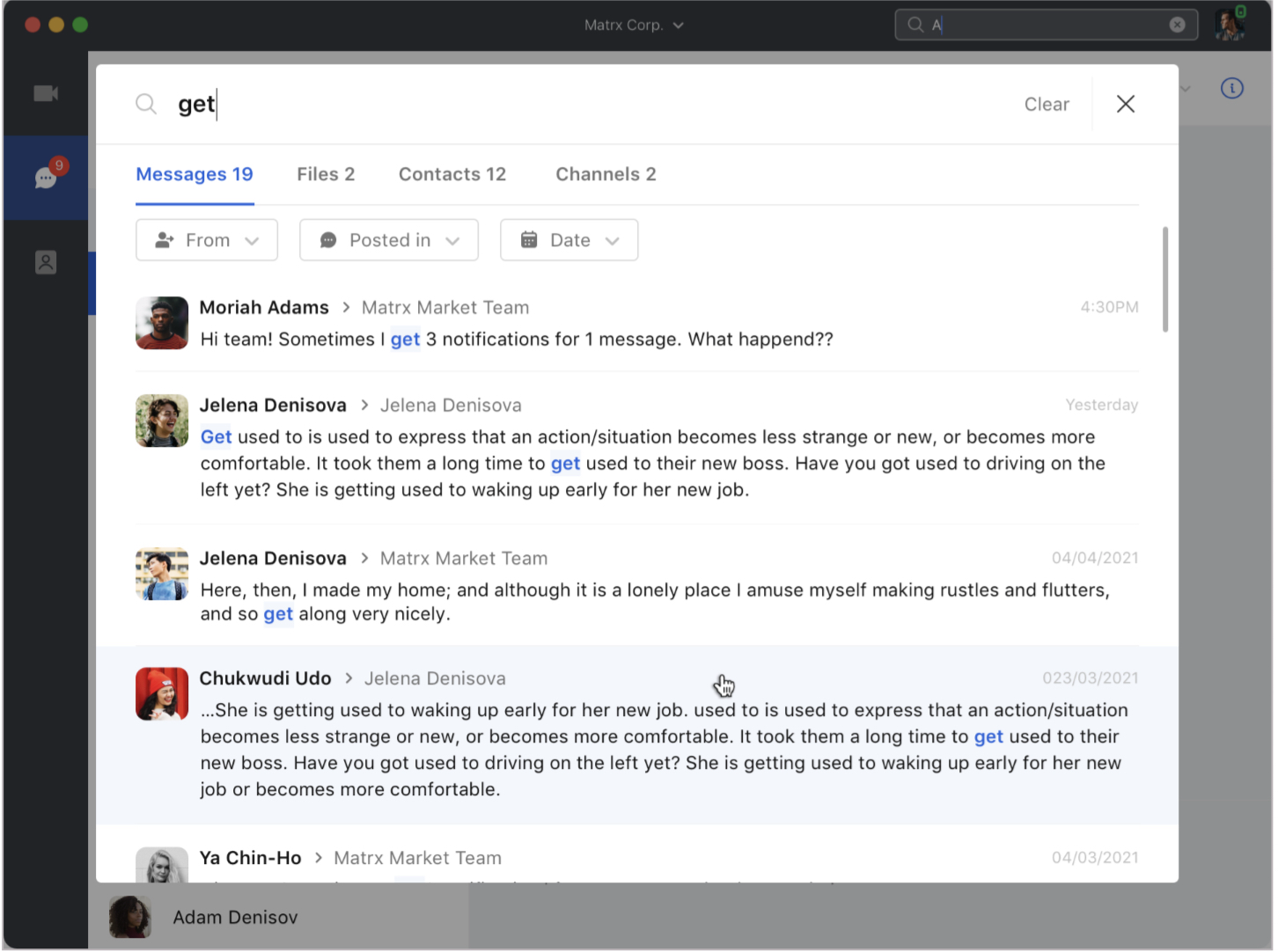
Click the search box, then click "Search for messages, files and more", and a search page will appear. Enter keywords in the search box and the search results would appear under the search box. You could further filter the results and locate the message faster by selecting the message is from which person or which chat or when it is sent. You could click any message in the result list and view the full message in the chat.
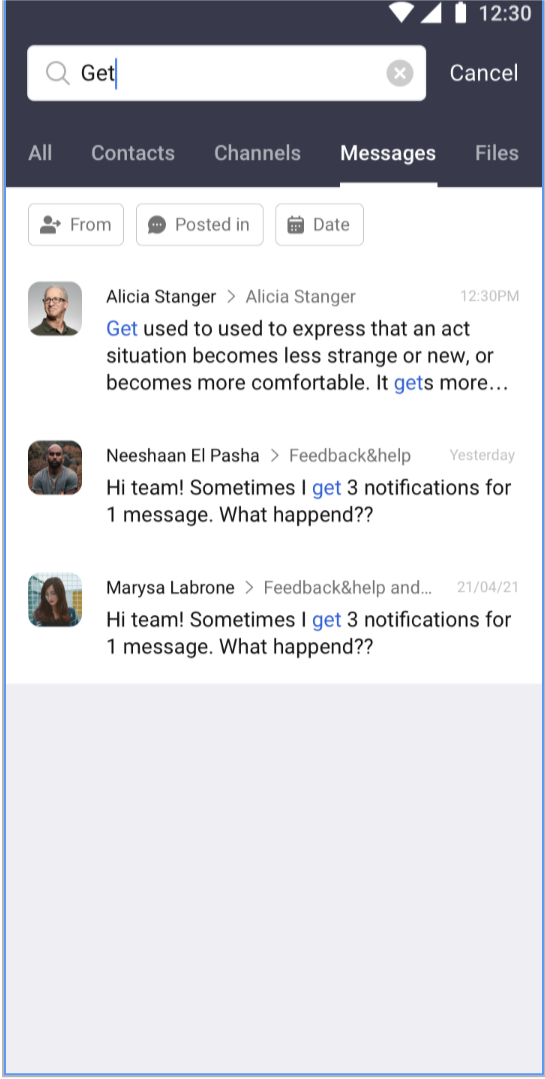
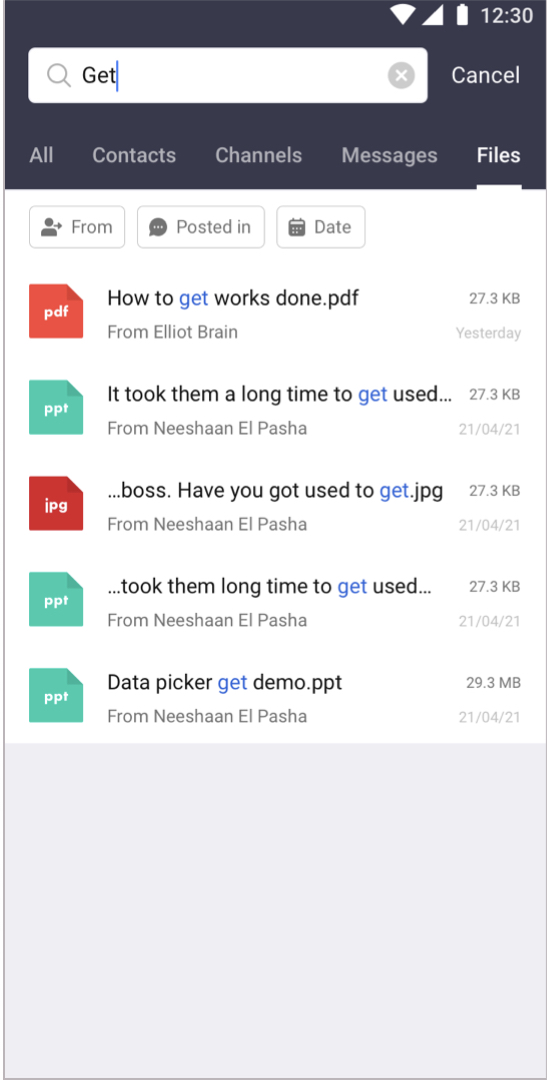
Tap the search box and a search page will appear. Enter keywords in the search box and the search results would appear under the search box. Tap Files to view the complete list of the results. You could further filter the results and locate the message faster by selecting the message is from which person or which chat or when it is sent. You could tap any message in the result list and view the full message in the chat.
Search Files
- 💻Desktop Users
- 📱Android Users
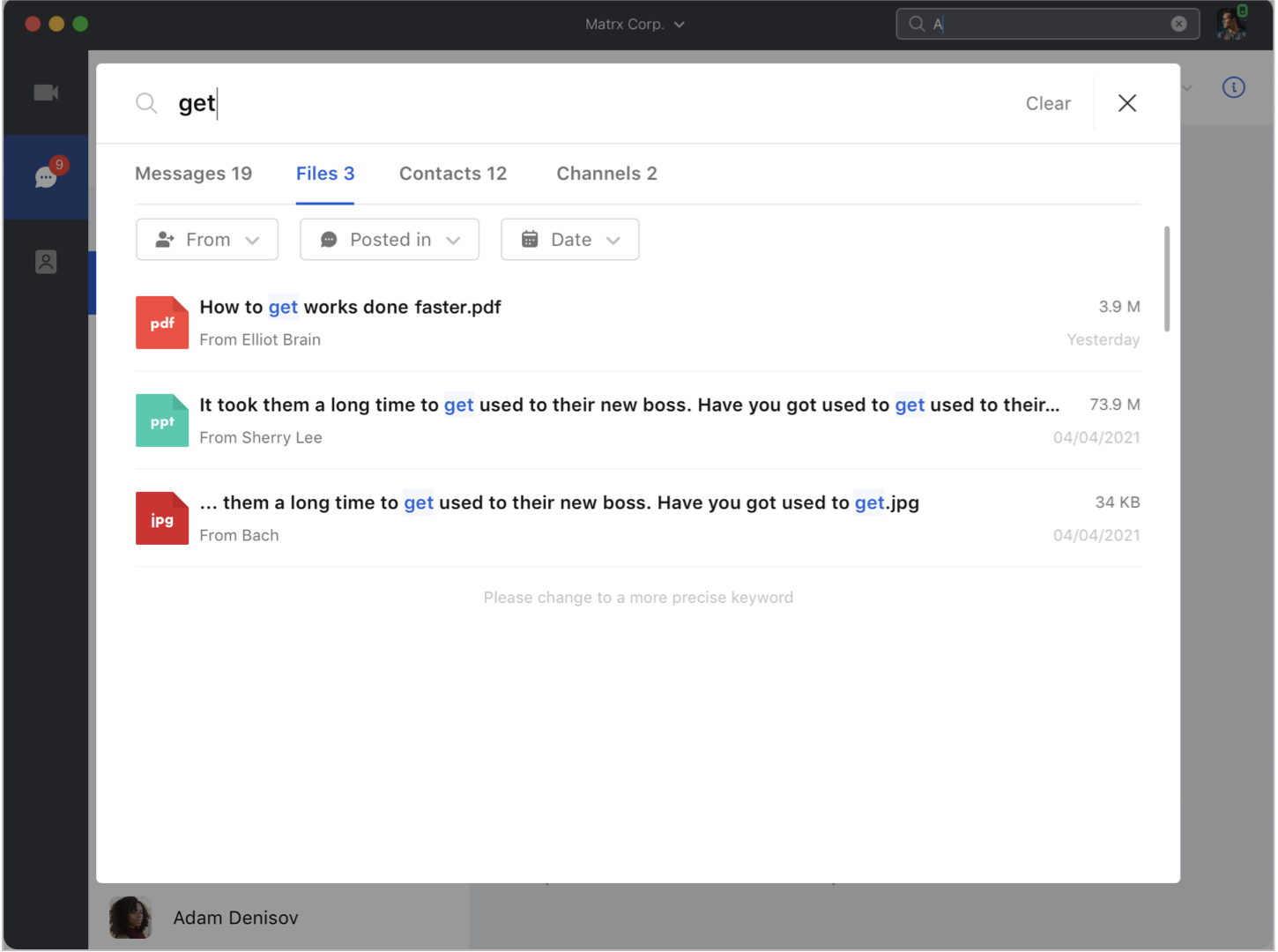
Click the search box, then click "Search for messages, files and more", and a search page will appear. Enter keywords in the search box and click Files to view the complete list of the results. You could further filter the results and locate the file faster by selecting the file is from which person or which chat or when it is sent. You could click any file in the result list and view the file in the chat.
Tap the search box and a search page will appear. Enter keywords in the search box and the search results would appear under the search box. Tap Files to view the complete list of the results. You could further filter the results and locate the file faster by selecting the file is from which person or which chat or when it is sent. You could tap any file in the result list and view the file in the chat.